

Complete & Rock Solid Radio Automation
iMediaTouch's core modules provide your stations with the needed tools to create and execute professional sounding radio programming. From our innovative On-Air interface to our industry leading VoiceTracking modules, with iMediaTouch you can feel secure knowing you have the most reliable & tested software running your operations. iMediaTouch interfaces with all major third party log scheduling and traffic applications and works seamlessly with Audio-over-IP technology from the leading manufacturers in radio.
Everything you need to make great Radio!
iMediaTouch's core modules include the industry leading On-Air, Production, Logtools and VoiceTracking modules. Need to do more with your automation? Make sure to check out the available Optional Modules to take your station to the next level!
On-Air | Production | Logtools | VoiceTracking

Core Modules work together in harmony providing your
station with seamless automation
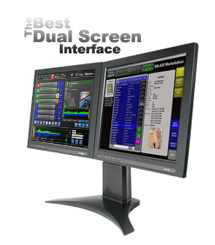
Enhanced Dual Screen functions
with iMediaTouch!
 On-Air Module On-Air Delivery & Automation
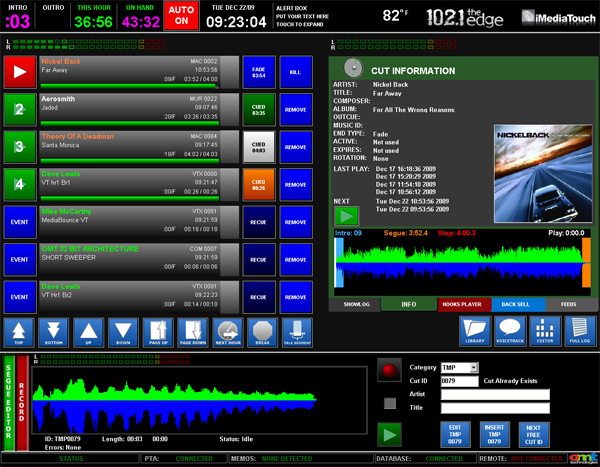
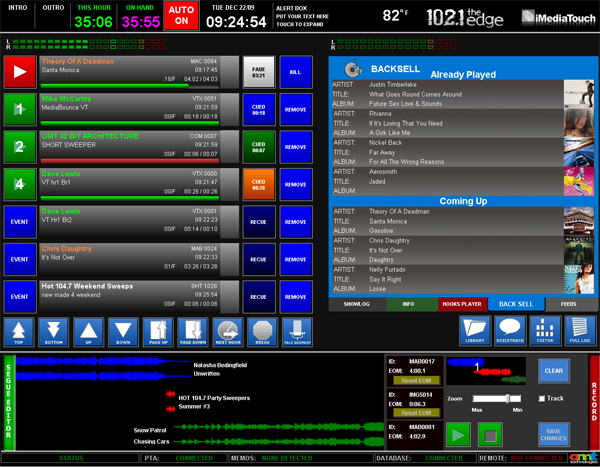
- Multiple Modes - Provides live assist, satellite, or complete automation operational mode
- Non-Proprietary Hardware - Runs on non proprietary Windows compatible hardware and sound cards
- Multiple Audio Formats - Supports Uncompressed PCM, Mpeg 1 Layer 1, 2, & 3, Windows Media and Dolby AC3 formats
- Dual Monitor - (Split Screen) On Air software for the audio library, On Air Voice Tracking, Hot Button "Showlogs" and Phone Bits
- Cart Screen - A static cart deck style On Air Interface
- "Sports Log" - One daily log provides complete automated baseball broadcasts for affiliates
- HD2 "PAD" - Interface added to CS-RDS package
- 'Non-Stop Broadcasting' - Suite of features eliminates down-time! iMediaTouch's FailSafe and Auto-Resume will keep your station protected from dead-air 24/7/365
- 3rd level of On-Air Redundancy - For added peace of mind
- Discrete Audio Outputs - Includes up to nine discrete audio outputs
- Audio Leveling - Provides dynamic audio level control for smooth overlapping audio & automatic average level detect of digital audio music genres with a user adjustable play out setting
- User Operational Options - Operates easily with simultaneous touch screen, mouse, bi-directional Start/Stop console buttons
- Easy Access Hot Buttons - Includes unlimited sheets of 28 Hot Buttons - customize your shows!
- Website Integration - Completes website integration though XML outputs of Title, Artist and album of the current play-out item, and up to 5 previous or 5 future items
- Automated On-Air Promo Builder - Offers a unique Hook Line & Seg' front sell promo builder to allow talent to build next hour promos in seconds
- On-Air Phone Editor - Phone Bit Editor & Full Production capabilities
- Keep your station Running - On-Air safeguard option allows users to lock automation mode or live assist mode
- Edit Logs on the Fly - Users have the benefit of a "Swap" button to quickly make log edits in the control room
- Sarbanes-Oxley - Tamper proof logs for Sarbanes-Oxley Compliancy
- Pitch control – Activate the pitch feature in On Air and add some spring to your music categories
- Multiple remotes – Up to 4 remotes can control On Air simultaneously
- "CanCon" - For Canadian broadcasters a play percentage window for Canadian content
- ....and many, many more features! Contact our Sales Staff for a Demo for you and your stations!
 Production Module Audio Production & Database Management
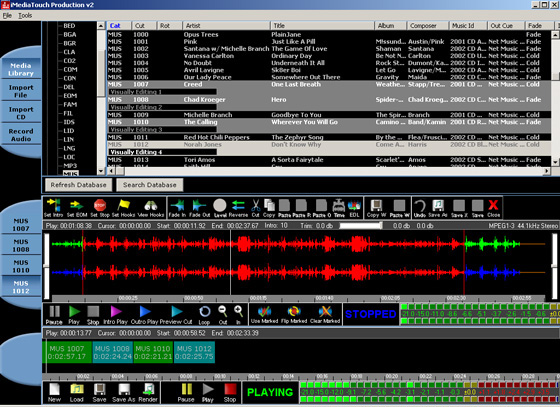
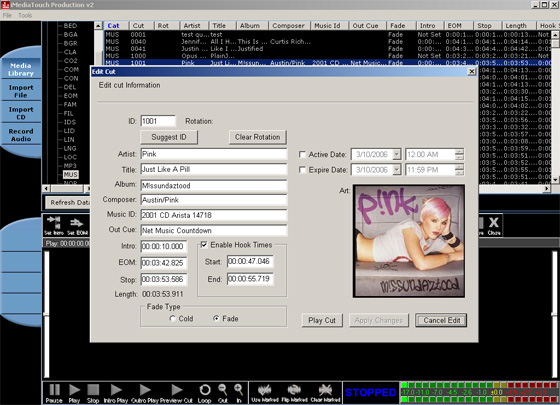
- Rip your Music - Provides a CD Extraction system with high speed file format conversion using any Windows compatible sound card
- Supports Multiple Audio Codecs - Supports uncompressed PCM, Mpeg 1 Layer 1, 2, & 3, Windows Media, and Dolby AC3 formats
- Drag & Drop - Allows users to Import via Drag & Drop from Windows
- Auto Import - Audio to current rotation
- Stretch and Compress - Stretch and compress your audio in the Production Module's wave form editor
- Normalization Capabilities - Normalizes CD Tracks and Audio files for consistent audio leveling
- Promo Builder - Sets the "hook" on audio cuts for On Air Talent to create next hour promos
- Edit your Audio - Provides easy wave form editing - Cut, Paste, Reverse Audio, Normalize and Fade In/Out
- Auto Trim when Importing - Auto trim cuts on import NEW!
- Export Audio in Multiple Formats - Exports any audio file to Windows Media, REAL or MP3 for web audio on demand
- Manage your Content for Log Creation - Manages expiry and activation dates right down to the hour on audio cuts
- Automated Features - Automated Trimming, Cut Labels and Levels
 LogTools Module Daily Log Scheduler and Editor
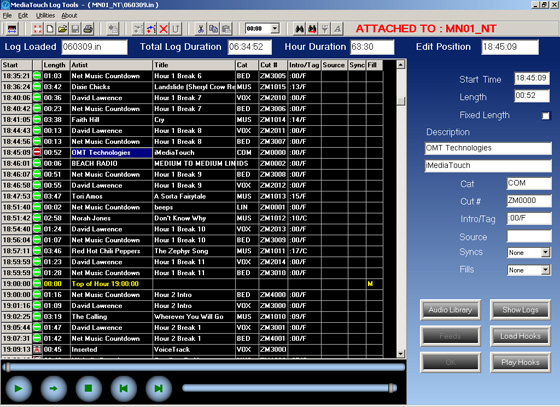
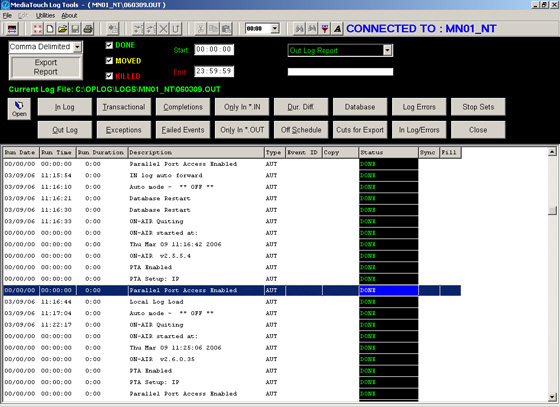
- Live Changes to Your Logs - Allows for instant changes on-the-fly or edits to an live schedule in your facility from a PD's desk, Traffic Manager's desk or remote computer
- Compatible with 3rd Party Industry Scheduling Software - Imports logs from a wide variety of music and traffic systems
- Auto Merging of logs and Audible Preview of your schedules before they air
- Provides commercial auto-fill, instant notification of errors and a simple template generator for AM talk & satellite formats
- Creates & Validates - Creates reports and validates schedules before airing
- Reporting System - Includes an easy to use reporting system to verify that commercials were played
- Schedule Showlogs - Schedules showlog loads for DJ shift changes and satellite drop liners
- Program your Satellite Hours - Provides a template generator to simplify satellite content creation by breaking down the day into hour blocks
- Summary Reports - Displays a summary report onscreen to identify exceptions during the merge process. You'll know right away if you merged the perfect schedule or what failed to play after the schedule aired!
- Protect your Logs - Password protection for startup
 VoiceTrack Module Local or WAN VoiceTracking for your Station
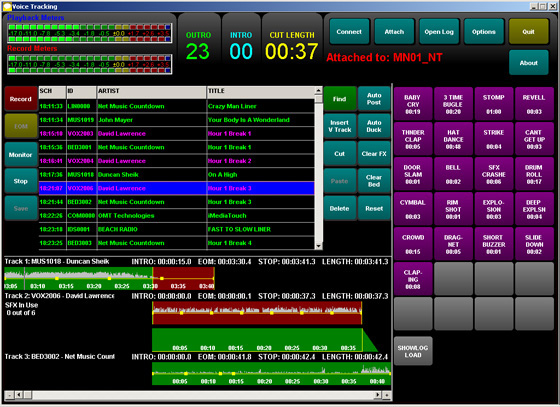
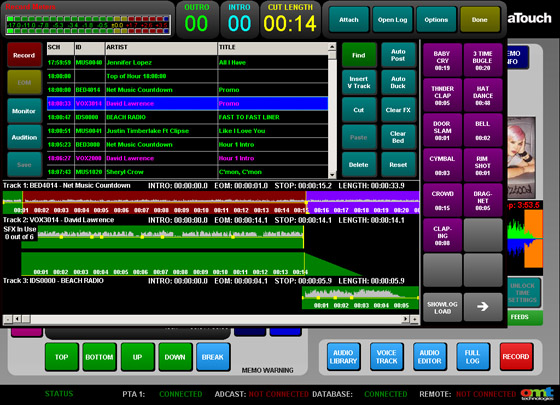
- Create Perfect VoiceTracks - Previews outro of last song and intro of next song while recording voice tracks
- Volume Leveling - Adjusts volume points and segue markers on each track for tight playout
- Insert Effects - Provides up to six elements from Showlog Panel (Hot Starts) to include in the voice track
- Insert Music Beds - Drops a music bed under the voice track
- Customize your VoiceTracks - Sets level controls, fade outs, fade ups and other audio controls easily by the talent
- Automatic Features - Provides quick access to Auto Post, Duck and other quick record features
- On-Air or Production - Allows voice tracking in the On-Air Studio (Optional Feature) or on a standalone workstation using a single audio card
- Voice minutes left - Displays how much time is scheduled in the current hour
- Remote Voice Tracking Portal - Our brand new 'No Compromise' Remote VoiceTracking - The Best Out-of-Studio VoiceTracking Experience on the Market!
- Keyboard Commands - We've added keyboard commands to make every voice tracking session a breeze!